
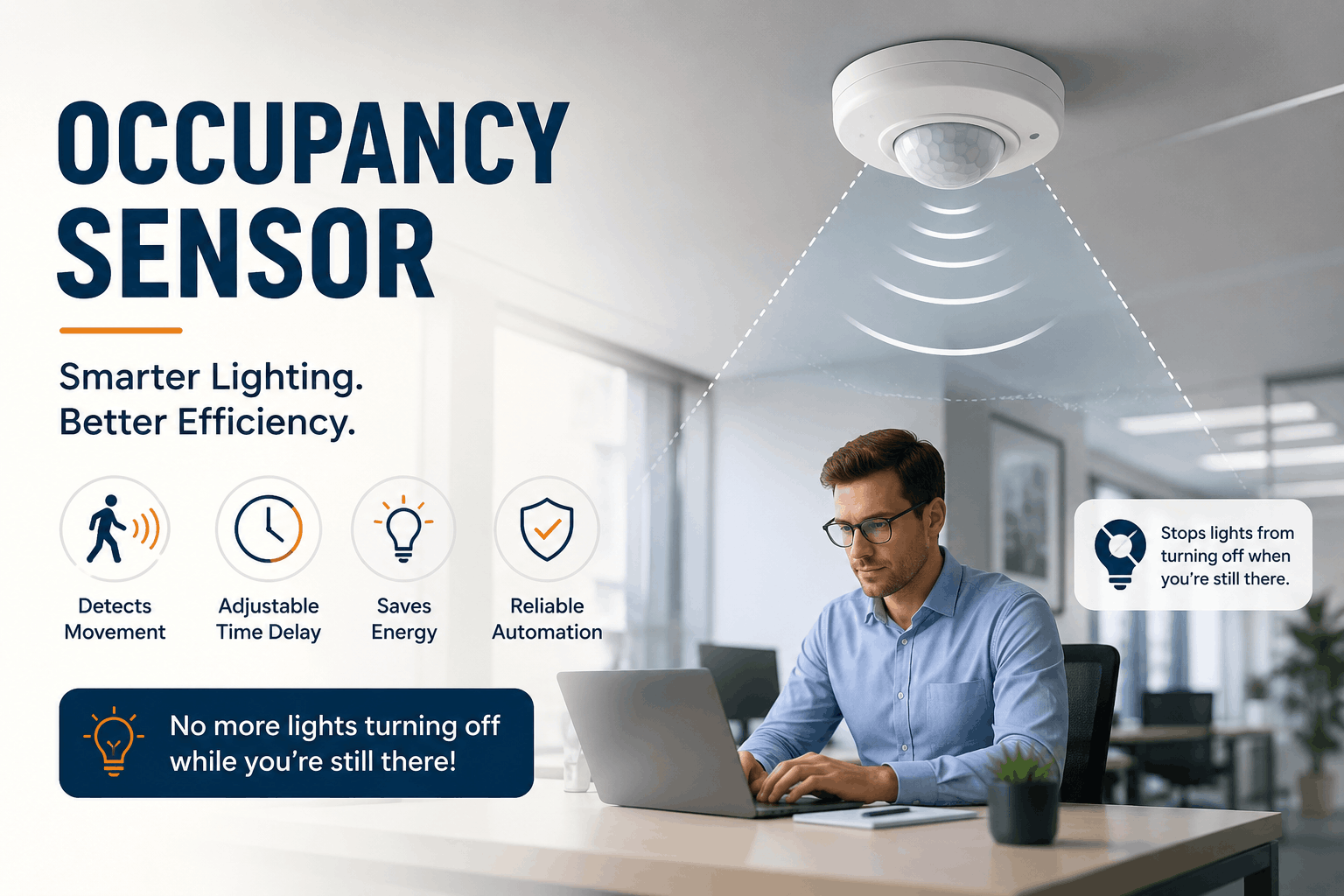
Your occupancy sensor cuts the lights on you because it can’t “see” you anymore — if you’re sitting still, you’re not in the range of motion detection zone, or the time-delay setting is too short of your motion. Fix the placement, modify the delay setting, and pick the right sensor type, and the problem will disappears.
So you’re sitting at your desk, typing away, and boom it gets darkness. Annoying, right? This is one of the most common complaints installers hear about occupancy sensors, and honestly, it’s almost never a “broken sensor” problem. The design, placement, or the settings problem. Let’s break down exactly why this happens and how to fix it for good.
How Does an Occupancy Sensor Actually Detect You?
Most occupancy sensors use passive infrared (PIR) technology to detect changes in heat energy caused by movement. If you stop moving, the sensor stops “seeing” you — that’s the core issue behind lights turning off on occupied rooms.
A pir occupancy sensor works by reading infrared radiation given off by your body heat. It doesn’t detect “presence” the way a human eye does. It detects the change in temperature. When you walk into a room, your body crosses multiple infrared zones on the sensor’s Fresnel lens, and each crossing triggers a signal. Stop crossing zones — meaning stop moving — and the sensor has nothing new to report.
Here’s the technical breakdown:
- Fresnel Lens Segmentation – The lens splits the sensing area into 20 to 40 individual zones, depending on the model. Each zone acts like a mini detector.
- Pyroelectric Sensor Element – This tiny chip converts infrared heat changes into a small electrical voltage, typically in the microvolt range.
- Signal Processing – The onboard circuit amplifies that voltage and compares it against a threshold. Cross the threshold enough times, and the relay stays closed (lights on).
- Time-Delay Timer – Once movement stops, an internal timer starts counting down (usually adjustable from 30 seconds to 30 minutes). No new motion before the timer expires, and the lights shut off.
So when you’re typing at a keyboard, reading a document, or sitting on a call, your movement is small and localized. If the sensor’s zones don’t cross your torso or hands frequently enough, it reads that as an “empty room.” That’s the root cause, plain and simple.
Also worth knowing: not every occupancy sensor uses pure PIR. Dual-technology units combine PIR with ultrasonic or microwave detection, and those are far better at catching subtle movement. More on that in the comparison table below.
What’s the Real Difference Between an Occupancy Sensor and a Motion Sensor?
Motion sensors are made to turn lights ON when they detect movement, then turn OFF after a delay. Occupancy sensors do both — they turn lights on AND keep them on by continuously confirming someone’s still there, which is why calibration matters so much.
This variation trips up a lot of buyers. A basic motion sensor is a one-way trigger. An occupancy sensor, especially in a commercial building, has to make an ongoing judgment call: “Is this room still in use?” That’s a much harder engineering problem, and it’s exactly why sensitivity, coverage angle, and mounting height all matter so much.
Anyway, let’s get into the numbers, because specifications tells us the real story here.
PIR vs Dual-Tech vs Ultrasonic: Which Occupancy Sensor Actually Works Best?
PIR sensors are cheap and reliable for open spaces with regular movement, but they struggle with minor motion. Dual-technology sensors cost more but virtually eliminate false-off events in offices, restrooms, and conference rooms.
Check this out — here’s a side-by-side breakdown security installers and hardware engineers actually use when specifying sensors for a job:
Feature | PIR Occupancy Sensor | Ultrasonic Sensor | Dual-Technology Sensor |
|---|---|---|---|
Detection Method | Infrared heat change | Sound wave reflection (25–40 kHz) | PIR + Ultrasonic combined |
Minor Motion Detection | Weak (misses typing, small hand movement) | Strong | Very Strong |
False Trigger Rate | Low (rarely turns ON by accident) | Higher (HVAC airflow can trigger it) | Very Low |
ContentFalse-Off Rate (lights cutting out while occupied) | High in low-motion rooms | Low | Very Low |
Coverage Range (typical) | 900–1200 sq ft at 8 ft mount height | 500–700 sq ft | 900–1000 sq ft |
Contact Rating (relay) | 5A @ 120–277V AC | 5A @ 120–277V AC | 5A @ 120–277V AC |
Operational Cycle Life | 100,000+ switching cycles | 100,000+ switching cycles | 100,000+ switching cycles |
Typical Cost Premium | Baseline | +15–20% | +30–40% |
Best Use Case | Warehouses, hallways, stairwells | Restrooms, small offices | Conference rooms, private offices, open-plan desks |
The bottom line is, if your space has people sitting still for long hours — think workplace occupancy sensors in cubicles or boardrooms — dual-tech is worth the extra cost. If it’s a hallway or loading dock where people are always moving, a straightforward PIR unit does the job fine.
What Are the 3 Main Causes of Occupancy Sensors Failing to Detect People?
Most “faulty sensor” complaints trace back to four root causes: wrong sensitivity settings, poor mounting placement, an undersized time-delay, and minor-motion blind spots. None of these mean the hardware is defective.
Let’s go through each one, because hardware engineers troubleshooting this in the field need specifics, not guesses.
1. Sensitivity Set Too Low
Every pir occupancy sensor ships with an adjustable sensitivity dial or DIP switch. Installers often leave it at factory default, which is tuned for large motion (walking), not small motion (typing, writing, reading). Bumping sensitivity up 20-30% on the dial usually solves minor-motion misses instantly.
2. Poor Mounting Height and Angle
Mount a sensor too high, and the Fresnel lens zones spread too far apart to catch small hand movements. Standard commercial installs run 8-10 feet for ceiling-mount units. Go higher than 12 feet, and detection accuracy for seated occupants drops noticeably — some field tests show a 35-40% increase in false-off events past that height.
3. Time-Delay Set Too Short
This one’s simple math. If your delay timer is set to 60 seconds and someone sits still reading a report for 90 seconds, the lights go out. Most manufacturers recommend a minimum 8-10 minute delay for private offices and 15-20 minutes for conference rooms. Also, some cheaper units only provide 3-5 preset delay options instead of a full adjustable range, which limits your flexibility.
4. Line-of-Sight Obstructions
Partitions, monitor stands, tall cubicle walls, and even stacked boxes in a warehouse can block the sensor’s field of view. Plus, furniture rearrangement after install is a huge, overlooked cause — nobody re-checks sensor coverage after the office reshuffles desks.
How Do You Choose a Quality Occupancy Sensor as a Buyer?
Check the contact resistance rating, verify the switching cycle count, confirm dual-tech availability for low-motion rooms, and always test adjustable sensitivity and delay ranges before bulk ordering for a commercial project.
Here’s your checklist. Print this out if you’re doing procurement for a facility:
- Contact Resistance: Look for ratings under 50 mΩ initial contact resistance — anything higher signals cheap relay contacts that’ll degrade faster.
- Switching Cycle Rating: Industry-standard is 100,000+ mechanical cycles minimum; premium units hit 300,000+.
- Detection Angle: 180° is standard for wall-mount; 360° for ceiling-mount units covering open desks.
- Adjustable Time-Delay Range: Full range from 30 seconds to 30 minutes gives you real flexibility across room types.
- IP Rating (for industrial settings): IP54 or higher if it’s a factory floor exposed to dust or light moisture.
- Certifications: UL 773A or IEC 60669-2-1 compliance tells you it’s been tested to real safety standards, not just marketed as one.
- Warranty Length: 3-5 years is standard for commercial-grade units; anything under 1 year is a red flag.
Honestly, this is where a lot of buyers get burned. They chase the cheapest per-unit price and end up replacing half their stock within 18 months. A slightly higher upfront cost on a properly rated occupancy sensor almost always pays for itself in reduced maintenance calls.
As a quick note — 1 LEAP Technologies deals in occupancy sensors over PIR, ultrasonic, and dual-tech categories, and the company also manufactures magnetic switches used in security and access-control setups. So if a facility’s project touches both lighting control and door/window security sensing, it’s worth sourcing both from a supplier who actually understands the underlying detection tech, not just someone reselling the boxes.
Why Occupancy Sensors Matter More Than Ever in Factories and Workplaces
Real numbers back this up. The U.S. Department of Energy has reported that occupancy-based lighting controls can cut lighting energy use by 24-30% in commercial buildings, and up to 60% in spaces like storage rooms and restrooms where usage is sporadic. Factory owners running multi-shift operations see even bigger wins — warehouses using occupancy sensors on aisle lighting have documented energy savings between 40-75%, since most warehouse aisles sit empty for the majority of a shift.
For workers, it’s not just about the electric bill either. Automatic lighting control in factories reduces manual switch operation, which cuts down on unnecessary foot traffic to panel boxes and improves general workplace safety in low-visibility zones. Plus, in cold storage or high-humidity industrial environments, fewer manual light switch interactions mean less wear on electrical components exposed to moisture.
Workplace occupancy sensors are also becoming a data source, not just a control device. Facility managers now pull occupancy data to understand desk utilization, plan office layouts, and cut real estate costs based on actual usage patterns — something that was basically impossible to measure accurately before sensor networks became standard.
FAQ: Quick Answers on Occupancy Sensor Behavior
Q1: Why does my occupancy sensor turn off the lights even when I’m sitting at my desk?
Your movement is likely too small or localized for the sensor’s Fresnel lens zones to detect consistently. Increasing sensitivity and extending the time-delay setting usually resolves this without replacing the unit.
Q2: What’s the best occupancy sensor type for a private office with lots of desk work?
A: Dual-technology sensors (PIR plus ultrasonic) perform best in low-motion office environments because they catch subtle movement that a standalone PIR occupancy sensor often misses.
Q3: How high should I mount a ceiling occupancy sensor for best accuracy?
A: Stick to 8-10 feet for most commercial spaces. Mounting above 12 feet majorly reduces the sensor’s ability to detect seated or minor movement.
Q4: Do occupancy sensors actually save meaningful energy in a factory setting?
A: Yes — documented field data shows warehouse and factory aisle lighting can see 40-75% energy reduction when switched from manual to occupancy-sensor control, particularly in low-traffic zones.